Direct Answer
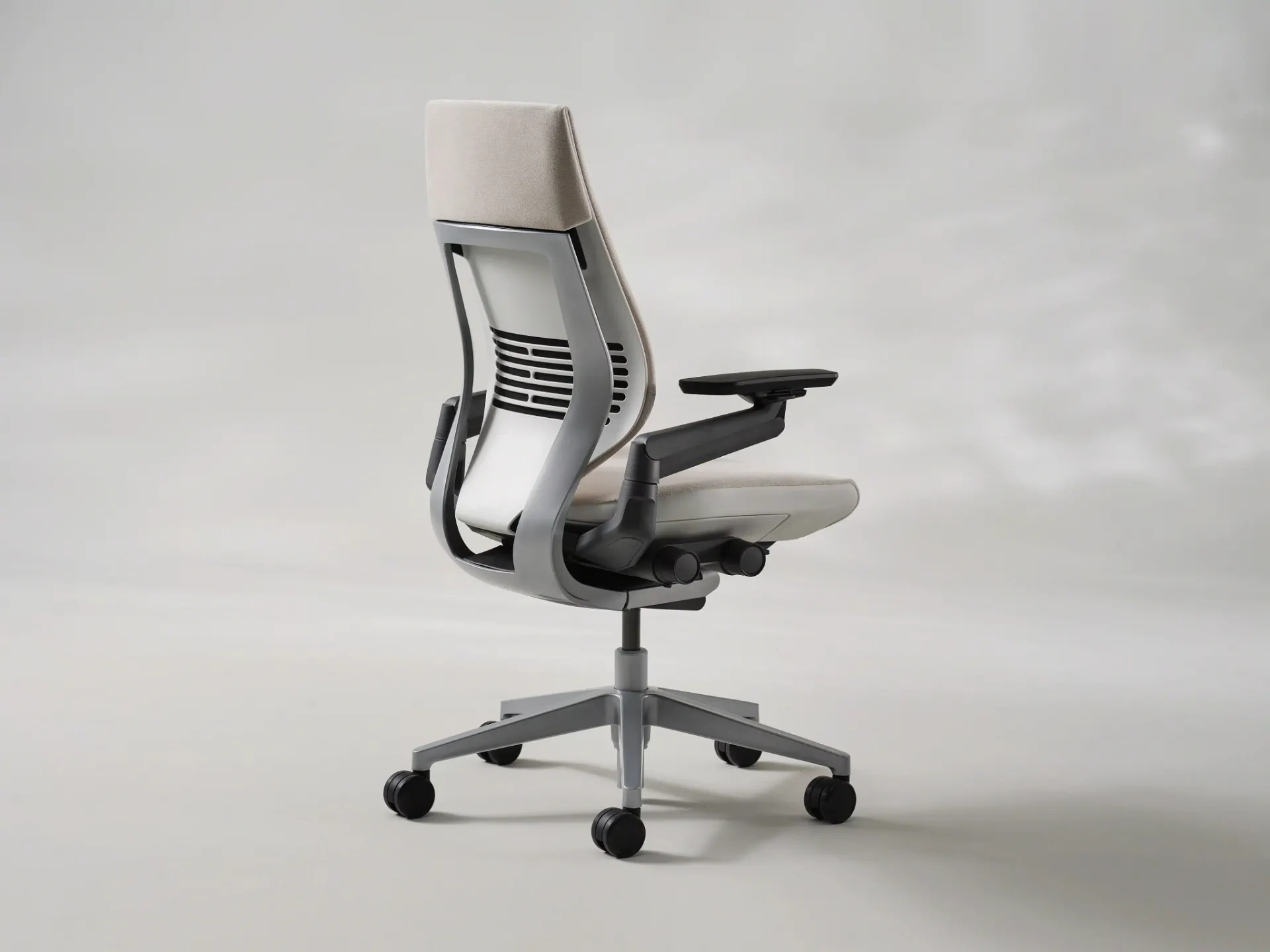
The Steelcase Gesture fits tall users between 6'0" and 6'4" well, with an 18.75" maximum seat depth, 21" seat height ceiling, and 24" backrest. I'm 6'4" and it's my daily chair — at maximum seat depth I measure about 3 finger-widths of knee clearance, solidly within the Cornell 2–3 finger guideline. Above 6'4", the Steelcase Leap Plus is the stronger dimensional fit on paper: 19.75" seat depth, 25.5" back height, and a 22.5" seat height ceiling that requires its optional 5" cylinder — 19.5" without it, below the Gesture — at a similar price point.
View Steelcase Gesture on Amazon →
TL;DR Verdict
4.5 / 5 — Best for tall users 6'0"–6'4". Strong fit. Expensive but worth it.
Best for
- ✓ Tall users 6'0"–6'4" (strong fit through this range)
- ✓ Anyone with ongoing lower or upper back pain from a bad chair
- ✓ Multi-device workers who shift posture frequently
Not ideal for
- ✗ Users 6'5"+ (Leap Plus is the better dimensional fit)
- ✗ Anyone who needs a forward tilt mechanism
- ✗ Users who prefer mesh over foam seating
Seat height: 16"–21" | Seat depth: 15.75"–18.75" | Back height: 24" | List price: ~$1,649
View Steelcase Gesture on Amazon →
Why I Bought the Gesture — and What Happened the First Time I Sat In It
This is an independent review. The Steelcase Gesture is my daily chair — I've used it in my Berkeley apartment for close to a year as my primary work and study chair. Before buying it, I was dealing with constant lower back aches and upper back and shoulder aches that built up over every long study session. The kind of aches where you end the day wanting a massage. I'd been through years of lecture hall seats and cheap dorm chairs that were never built for someone 6'4", and it showed.
I spent months researching before pulling the trigger — comparing spec sheets, reading through r/ergonomics and r/officechair, and running the dimensional math as a Mechanical Engineering student who cares more about whether the numbers actually work than whether something "feels premium" in a five-minute demo. At 6'4" with a 32–33" inseam, I was specifically checking seat depth against my thigh length, backrest height against my torso, and seat height ceiling against my desk setup.
The first time I sat in the Gesture, I literally said "woah" out loud to myself. That's not something I planned to write — it's just what happened. The chair felt different in a way I hadn't expected from something I'd only ever evaluated on paper. My posture immediately improved, and over the following weeks I noticed I could study longer without my back becoming a distraction. One evening during a particularly brutal stretch of finals week, I was so drained I actually fell asleep in the chair. The chair was that comfortable.
The comparison baseline throughout this review is the Steelcase Leap Plus — the obvious alternative for tall users who need more dimensional range — and the Herman Miller Aeron Size C, which targets a similar buyer with a fundamentally different design philosophy.
Key Specifications
| Spec | Gesture | Leap Plus | Aeron Size C |
|---|---|---|---|
| Seat depth (max) | 18.75" | 19.75" | 18.75" |
| Seat height (max) | 21" | 22.5" (w/ optional 5" cyl.; 19.5" std) | 20.5" |
| Back height | 24" | 25.5" | ~22" |
| Seat width | 19.25" | 20.5" | 20.25" |
| Weight capacity | 400 lbs | 500 lbs | 350 lbs |
| Armrest type | 360° pivot | 4D standard | 4D standard |
| Warranty | 12 years | 12 years | 12 years |
Sources: Steelcase Gesture specs → | Verify Aeron Size C and Leap Plus specs on Herman Miller and Steelcase product pages before purchasing — dimensions occasionally vary by configuration.
Seat Depth: Does 18.75" Actually Fit Tall Users?
TCA's Steelcase Gesture review notes that its 18.75-inch seat depth suits most users but warrants verification for tall individuals, particularly those 6 feet 3 inches and above, who may find proportional fit varies. The review recommends the Gesture confidently for users up to 6 feet 3 inches, while suggesting the Leap Plus as the easier alternative beyond that height.
The Gesture's 18.75" maximum seat depth is adequate for most tall users through 6'3" — but it's worth understanding exactly what "adequate" means here. The standard ergonomic guideline (per Cornell Ergonomics Lab) is that your seat depth should allow 2–3 finger-widths of clearance between the front edge of the seat and the back of your knee when you're seated fully against the backrest. That clearance prevents pressure behind the knee and keeps blood flow unimpeded during long sessions.
At 6'4" with a 32" inseam, I measured that clearance at the Gesture's maximum seat depth: about 3 finger-widths. That's solidly within the Cornell guideline — not a borderline fit, a comfortable one. If you have significantly longer-than-average femur proportions for your height you may land closer to 2 fingers, which is still within range. At 6'1"–6'3", you can expect similar or slightly more clearance without issue.
The seat's flexible front edge is a genuine design advantage here — it compresses slightly under the back of the knee rather than pressing into it with a rigid lip. I notice this most during long study sessions when I'm locked in at maximum seat depth for hours. There's no sharp pressure point the way I'd get from a rigid-lipped chair at similar proportions. For users near the dimensional limit, that flexibility reduces the real-world impact of the tight clearance. It doesn't fix the underlying math, but it makes the chair more forgiving than the raw number suggests.
The seat depth adjustment mechanism — a lever under the front of the seat — moves the seat pan forward or back in a smooth continuous range, not in clicks. I keep mine at or near maximum for nearly every session; the lever is quick to reach and I've adjusted it unconsciously at this point. This is one of the better implementations of seat depth adjustment in the category — the Leap Plus uses a similar mechanism, but the Gesture's is slightly lighter in action.
Armrest System: Honest Take
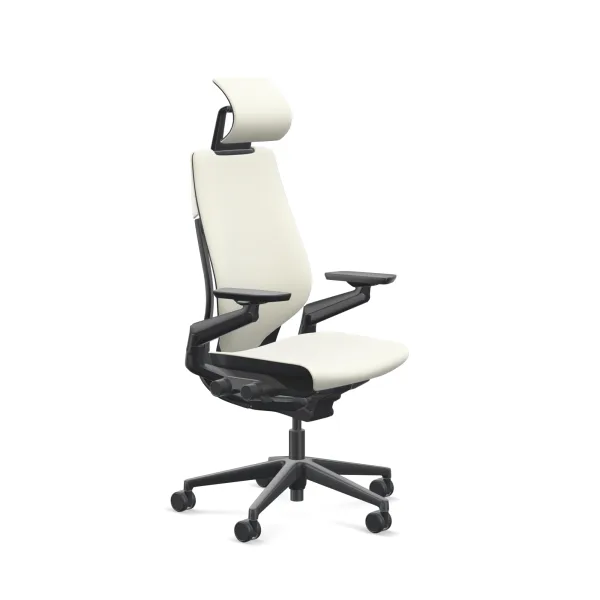
The 360-degree armrest system is the Gesture's headline feature. Steelcase developed it after studying over 2,000 postures across six continents — the idea being that modern desk work involves constant position shifts between keyboard, mouse, phone, and tablet that standard 4D armrests weren't designed to support.
Here's my honest account of how I actually use them: I keep mine set below desk height, and for most of my work — CAD, engineering assignments, anything where I'm typing or using a mouse — I'm resting my forearms on the desk surface, not on the armrests. So for my specific workflow, the 360-degree pivot isn't the daily differentiator the marketing suggests it might be.
What I do notice is that when I shift into reading posture or lean back with a laptop or phone, the arms are already in a natural position to support my elbows without my having to stop and adjust anything. That's genuinely convenient. And the pivot range does solve a real postural problem if you switch frequently between a tablet, a keyboard, and a secondary screen. If your setup is different from mine and you spend more time reaching across workstation surfaces, the 360-degree system will mean more to you than it does to me.
My one real gripe: the armrest padding could be better. The padding is fine for occasional contact, but if you're resting your forearms heavily on the pads for long stretches, you'll notice. It's the thing I'd change if Steelcase called me. The Aeron's armrests have a similar issue; the Leap Plus is comparable. It's not a dealbreaker but it's worth knowing.
Backrest, Lumbar, and What Changed for My Back
The Gesture's 24" back height is adequate through approximately 6'3". At 6'4", the top of the backrest makes contact roughly at mid-shoulder-blade — close to the ideal contact point but with less margin than the Leap Plus's 25.5" back. For users with longer-than-average torso proportions at 6'4", the upper shoulder blades may sit above the backrest's contact zone during upright typing posture. Tall users with shoulder pain should also read why tall people get shoulder pain at desks.
What I can tell you from a year of daily use: my lower back aches are gone, and my upper back and shoulder aches are significantly better. Before the Gesture, I was ending long study sessions constantly wanting a massage — that dull ache that builds across your whole back when you've been sitting wrong for hours. That's no longer my experience. I'm not distracted by my back anymore during study sessions, and I'm convinced that freed-up mental space has made me more focused. I can't separate how much of that improvement is the LiveBack lumbar mechanism versus the overall ergonomics of the chair, but the outcome is real.
The LiveBack system — where the backrest flexes and follows your spine's movement — is what I credit most for the lumbar improvement. As you shift from upright typing to a reclined reading position, the backrest flexes at the thoracic region rather than staying rigid. I change posture constantly during long sessions and the LiveBack follows without my having to stop and readjust anything. This is noticeably different from fixed-back designs.
There is no separate manual lumbar adjustment knob. The LiveBack handles it dynamically. Some users prefer the control of a manual adjuster (the Leap Plus has this); I prefer the Gesture's automatic approach after nearly a year with it. If you've been dealing with back issues from a bad chair setup and you're skeptical that a chair can make a real difference — I was too, and I was wrong.
Height Fit Guide: 6'1" to 6'7"
6'1"–6'3": Strong fit
The Gesture is one of the best ergonomic chairs available at this height range. Seat height, depth, and back height all fall well within the recommended ergonomic ranges for typical body proportions at 6'1"–6'3". The 360-degree armrest system adds a capability that the Leap Plus and Aeron don't offer, and the dimensional ceiling isn't a meaningful constraint. If you work across multiple devices, this is the height range where the Gesture's design advantages are most pronounced.
6'3"–6'4": Good fit
At 6'4" I measure about 3 finger-widths of clearance at maximum seat depth — solidly within the Cornell guideline and my daily experience. Most users at 6'3"–6'4" will find the Gesture fits well; users with significantly long femur proportions relative to their height may land at the lower end of the clearance range. The check: sit fully against the backrest at maximum seat depth and measure your knee clearance. Two or more finger-widths means you're fine.
6'4"–6'5": Good fit; Leap Plus is the safer bet if proportions are uncertain
At the upper end of this range, the Gesture still works for most body types but the margin gets smaller. The 21" seat height ceiling can feel limiting with taller desk configurations, and the 24" back height may leave upper shoulder blades without full contact. The optional taller gas cylinder helps with seat height. If you can't test the chair in person and you're on the taller end with long legs, the Leap Plus's extra inch of seat depth removes the guesswork at a similar price point.
6'5"–6'7": Leap Plus recommended
The Gesture is not well-suited for this range without aftermarket modifications. The Steelcase Leap Plus — 19.75" seat depth, 25.5" back height, and 22.5" seat height with its optional 5" cylinder — is purpose-built for this range on the published specifications and the better choice, provided that cylinder is specified at order time. A standard-cylinder Leap Plus tops out at 19.5" and does not fit this range at all.
Pros and Cons
What the Gesture does well
- It fixes back pain. My lower back aches and upper back/shoulder aches that built up from years of bad chairs are gone. That's the headline result and the main reason I'd buy it again.
- LiveBack adapts to posture changes without adjustment. The flexing backrest maintains lumbar contact during recline without requiring you to stop and readjust a lumbar knob. I shift posture constantly and never think about it.
- Fits through 6'4" with room to spare. At 6'4" I measure ~3 finger-widths of knee clearance at maximum seat depth — solidly within the ergonomic guideline. It's not a borderline fit at my height.
- 360° armrest pivot range. No other chair in this price range matches it. Especially useful if you shift between keyboard, tablet, and phone positions throughout the day.
- 12-year warranty, BIFMA-certified 400 lb capacity. Steelcase's warranty coverage is one of the strongest in the category and the structural integrity has been independently tested.
Where the Gesture falls short
- Price. At $1,649 list, it's expensive. That's my #1 complaint. The refurbished market ($400–$700 from certified dealers) changes the math significantly if you're willing to go that route.
- Armrest padding could be better. The pads are fine for casual contact but not great for sustained forearm resting under load. If I could change one thing on the next version, it would be this.
- No forward tilt mechanism. Users who prefer an active sitting posture — seat angled forward to reduce hip flexion — have no option on the Gesture. The Leap Plus and some Aerons include this.
- Foam seat runs warm. The foam cushion retains more body heat than the Aeron's mesh. In warmer environments or for users who run hot, this is a meaningful daily comfort difference.
- No manual lumbar adjustment. The dynamic LiveBack system works well, but users who want a user-set fixed lumbar position may prefer the Leap Plus's manual adjuster.
Pricing and Value
The Steelcase Gesture lists at approximately $1,649 new through authorized dealers. At that price it is genuinely expensive — but the refurbished market changes the value calculation significantly. Steelcase-certified refurbished units (which carry their own warranty) typically run $400–$700 and are structurally identical to new. For a chair with a 12-year warranty and BIFMA-certified construction, the long-term cost per year of use is competitive with mid-tier alternatives that wear out in 3–5 years.
The closest direct competitors at this price point are the Steelcase Leap Plus (~$1,600 list) and the Herman Miller Aeron Size C (~$1,795 list). The Gesture's advantage over the Leap Plus is the armrest system; its advantage over the Aeron is seat depth (18.75" vs the Aeron's similar maximum) and a higher weight capacity. The Aeron's advantage over both is mesh ventilation — if heat retention is a primary concern, that matters enough to be worth the price premium.
For users 6'0"–6'3" who work across multiple devices, the Gesture's ergonomic range justifies the investment. For users above 6'4", the Leap Plus is the same price tier and a better dimensional fit — the armrest flexibility doesn't compensate for a seat that's 1" too shallow. If budget is a constraint, our best office chairs under $500 covers spec-matched alternatives.
Verdict: Who Should Buy the Gesture?
Rating: 4.5 / 5 for users 6'0"–6'4". 3.5 / 5 above 6'5".
For Users 6'0"–6'4"
The Steelcase Gesture works well across this range — I'm 6'4" and it's my daily chair. The LiveBack mechanism delivers adaptive lumbar support that eliminated the constant back aches I had before. The dimensional spec (21" seat height, 18.75" max seat depth, 24" back) covers 6'0"–6'4" comfortably for most body proportions. At 6'4" I measure ~3 finger-widths of knee clearance at maximum depth — solidly within the ergonomic guideline. If you're on the taller end with long legs relative to your height, the knee clearance check is worth doing: sit against the backrest at max depth, count finger-widths. Two or more and you're good.
Buy the Gesture if: you're 6'0"–6'4", need a chair that will actually fix ongoing back discomfort, and want the best armrest flexibility in the category. It's expensive, but it's the chair I'd buy again.
For Users 6'5" and Above
Above 6'4", the Gesture's dimensional margins shrink. The 18.75" seat depth works for most body types at 6'4" but becomes a tighter call at 6'5"+. The Leap Plus adds 1" seat depth, 1.5" seat height ceiling, and 1.5" back height at a similar price — those extra inches matter more the taller you are.
Buy the Leap Plus instead if: you're 6'5" or taller, primarily keyboard-and-mouse, or need a forward tilt mechanism.
Frequently Asked Questions
Is the Steelcase Gesture good for tall people?
Yes, through 6'4" it's one of the best ergonomic chairs available. I'm 6'4" and it's my daily chair — I get about 3 finger-widths of knee clearance at maximum seat depth, which is solidly within the Cornell ergonomics guideline. The 21" seat height ceiling, 18.75" seat depth, and 24" backrest cover 6'0"–6'4" well for most body proportions. Above 6'4", the Steelcase Leap Plus adds meaningful dimensional margin across seat depth, seat height, and back height.
What is the weight limit of the Steelcase Gesture?
400 lbs, tested to BIFMA x5.1 standards — a third-party durability benchmark for office seating that tests structural integrity under dynamic load. See the full weight limit guide for details. Users over 400 lbs should consider the Leap Plus, rated to 500 lbs under the same BIFMA standard.
Does the Steelcase Gesture have a tall cylinder option?
Yes. An optional taller gas cylinder is available through Steelcase authorized dealers, raising the seat height ceiling above the standard 21" maximum. This helps with desk height clearance for users above 6'4", but the seat depth maximum remains at 18.75" regardless — which is the harder constraint for tall users.
How long does the Gesture take to break in?
My experience: I felt a difference from the very first sit. There was no "this is too firm, did I make a mistake" period. The foam seat does get more settled with use over time, but I wouldn't describe it as a chair that requires patience before it works for you. If anything, the first impression was the most dramatic — I wasn't expecting it to feel that noticeably different immediately. Demo units in a showroom will feel slightly more broken-in than a brand new chair, but the gap is small enough that a showroom sit is still a useful test.
Is the Steelcase Gesture worth the price?
At ~$1,649 list, it's expensive — but Steelcase-certified refurbished units in the $400–$700 range carry a warranty and are structurally identical to new. For users in the 6'0"–6'3" range, the 12-year warranty and BIFMA-certified build quality make the long-term value competitive. Above 6'4", spend the same budget on the Leap Plus.
Gesture vs Leap Plus — which for tall people?
For 6'0"–6'3": the Gesture wins on armrest flexibility (360° vs 4D) and is competitive on all other dimensions. For 6'4"+: the Leap Plus has the better dimensional ceiling across seat height, seat depth, and back height. Full breakdown in the Gesture vs Leap Plus comparison →
Alternatives
Steelcase Leap Plus — full comparison →
Best if you need: Maximum dimensional range above 6'4", forward tilt, or 500 lb capacity.
Key difference: Adds 1" seat depth, 1.5" seat height, 1.5" back height over the Gesture. Loses the 360° armrest system. Same price tier.
Herman Miller Aeron Size C — full comparison →
Best if you need: Mesh ventilation, or a lighter chair feel.
Key difference: Mesh seat eliminates the heat retention issue. Seat depth maximum is comparable to the Gesture. Seat height ceiling is lower (20.5" vs 21"). Costs more at list price.
Also considered: Herman Miller Aeron Size C review and Sihoo Doro S300 review.
Where to Buy
The Steelcase Gesture is available through authorized dealers and Amazon. If budget allows, check Steelcase's certified refurbished program first — factory-reconditioned units at $400–$700 are structurally identical to new and carry their own warranty.
What Reddit Owners Say
Based on 25 owner reports from r/officechairs and related subreddits. These reflect real-user experiences, not sponsored content.
What owners like
Reddit owners most consistently praise the Gesture's back support and 4D armrests. Multiple owners describe the back as the reason they kept the chair after initial doubts, and the armrests are routinely called the best of any chair they've used. Owners who switched from the Steelcase Leap V2 or Haworth Fern frequently say the Gesture is the first chair that actively rewards correct upright posture rather than accommodating slouching. Recline feel is also praised by users who spend time leaning back during calls or thinking breaks.
Common complaints
The most repeated complaint across Reddit owners is seat cushion firmness. Some owners find it uncomfortable within the first two weeks, and there is concern that used cushions compress further over time. The lack of a native headrest is the second most common frustration — multiple owners have sought third-party adapters including 3D-printed brackets for the Atlas Headrest, though these have limited height range for taller users. A minority of owners who have used the chair for two or more years say the chair is 'good but not life-changing' for its price, questioning whether the premium is fully justified.
Tall-user notes (6'0"+)
Tall users in the corpus (6'0"–6'5") report mixed but generally positive outcomes. A 6'0" owner switching from the Leap V2 and Haworth Fern found the Gesture fit his frame better, particularly because the Fern's seat pan was too shallow. A 6'3" owner praised back support but had cushion concerns. A 6'5" user considering the Gesture over the Leap V2 cited the armrests as better for shoulder pain. One 5'11" long-torso owner using a headrest adapter reached the top of the headrest range, suggesting very tall users may run out of headrest height. The corpus does not contain specific seat height or back height measurement reports from Gesture owners.
Owner quotes
"I went to go check out a steelcase gesture and when I sat in it, it immediately felt like it was 'the one'. When I sit in it correctly, everything feels perfectly aligned."
u/ArcticMooss on r/officechairs
"The back support is very good though, so at least it does that well. I'm 6'3", 190 lbs."
u/cowboygneox on r/officechairs
"I've always missed a headrest. When I saw a post that finally had a non janky solution for a good headrest, I decided to pull the trigger."
u/Ihadtosubscribe on r/officechairs
Reddit data collected March 2026. Quotes link to original threads.